
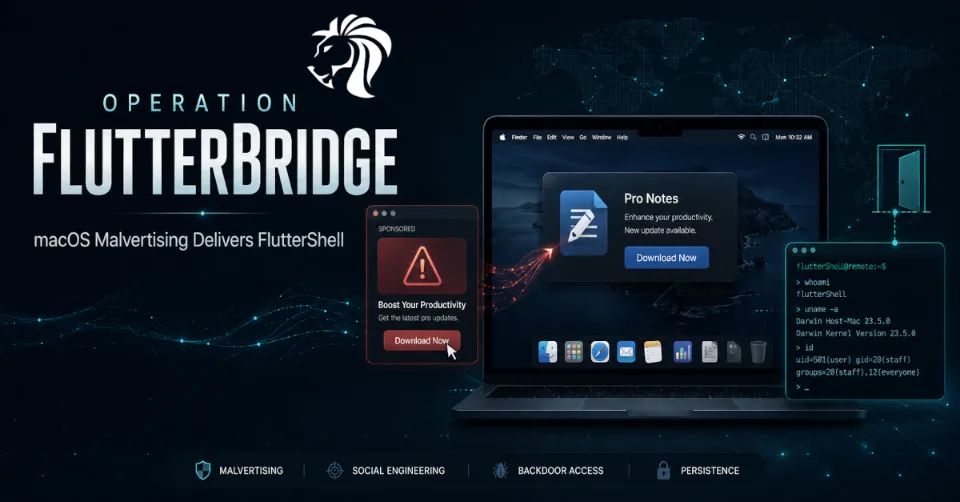
Cybersecurity researchers have uncovered a macOS 'malvertising' campaign known as Operation FlutterBridge, which is being used to distribute a new backdoor called FlutterShell.
According to Palo Alto Networks Unit 42, the campaign is linked to a broader activity cluster previously tracked as JSCoreRunner, also known as FileRipple. The cybercrime group behind the activity is tracked as CL-CRI-1089 and is believed to have been active since at least 2023.
The campaign shows how attackers are combining malicious advertising, fake productivity apps, valid Apple Developer IDs, notarized applications, and dynamic WebView-based malware architecture to target macOS users.
What Is FlutterShell?
FlutterShell is a macOS malware payload built using the Flutter framework.
At first glance, it appears to be part of a normal desktop application. But behind the scenes, it has both adware and backdoor capabilities.
Its functionality includes:
- adware delivery
- shell command execution
- file system manipulation
- system fingerprinting
- environment variable exfiltration
- browser session data theft
- dynamic payload control through external web content
This combination makes FlutterShell more dangerous than ordinary adware. While its visible behavior may involve browser hijacking and intrusive ads, its backdoor capabilities can allow attackers to execute commands and interact with files on the victim’s system.
How the Campaign Reaches Victims
Operation FlutterBridge relies heavily on malvertising.
The attackers distribute malicious Google and YouTube ads that appear to promote legitimate desktop applications. These ads are linked to a network of Google-verified shell companies, giving the campaign a more trustworthy appearance.
Some of the front companies associated with the activity include:
- AdsParkPro LTD
- Advantage Web Marketing LLC
- SOFT WE ART LIMITED, now PACIFIC TRADE SOLUTIONS LTD
The ads are designed to lure macOS users into downloading trojanized productivity software.
Targeted users have been observed in:
- United States
- Canada
- Australia
- France
- Germany
This targeting suggests the campaign is focused on high-value consumer and business markets where macOS usage is common.
Connection to TamperedChef and EvilAI Campaigns
The group behind FlutterShell has also been associated with campaigns involving Recipe Lister and Calendaromatic.
These fall under a broader activity set known as TamperedChef, also referred to as EvilAI.
The common theme is the use of trojanized productivity software to distribute potentially unwanted programs, adware, and malware.
Attackers take applications that appear useful or harmless, such as recipe tools, calendar utilities, PDF tools, or AI-powered productivity apps, and use them as delivery vehicles.
This approach works because users often trust software that looks polished, is advertised professionally, and appears to solve a simple everyday problem.
Signed and Notarized macOS Malware
One of the most concerning details is that observed FlutterShell samples were signed with valid Apple Developer IDs and successfully passed Apple notarization.
This means Apple’s automated checks did not detect the apps as malicious at the time they were submitted.
For users, this creates a dangerous trust problem.
Many macOS users assume that if an app is signed and notarized, it is safe. But signing and notarization do not guarantee that an application is harmless. They are important security controls, but attackers can still abuse developer accounts, submit deceptive apps, or hide malicious behavior behind dynamic loading mechanisms.
FlutterShell demonstrates how malware can pass initial checks and still perform harmful actions after installation.
Browser Hijacking Through Chrome Configuration Changes
Upon execution, FlutterShell modifies Google Chrome configuration files.
The goal is to hijack browser traffic and force it through an attacker-controlled, ad-filled intermediary site.
This allows the operators to monetize infected systems through advertising traffic while maintaining a foothold on the machine.
Browser hijacking may seem less severe than ransomware or credential theft, but it can still create serious risks.
It may expose users to:
- malicious redirects
- credential phishing pages
- fake software updates
- scam pages
- unwanted extensions
- additional malware downloads
- tracking and profiling
When combined with backdoor functionality, browser hijacking becomes part of a broader compromise.
WebView-Based Architecture: Why It Matters
FlutterShell is notable because it uses a WebView-based architecture with a JavaScript-to-native bridge.
A WebView allows a native application to display web content inside the app. The JavaScript-to-native bridge allows web content to communicate with the underlying native application.
This gives attackers an important advantage.
Instead of embedding all malicious logic directly inside the app binary, they can host logic on an external website. The installed app becomes a shell that loads and executes behavior controlled from the attacker’s infrastructure.
This means the operators can change what the malware does in real time without rebuilding or redistributing the app.
That makes analysis harder because the binary alone may not reveal the full behavior. It also allows attackers to update payloads, alter logic, or change commands dynamically.
A More Flexible Malware Model
Traditional malware often contains most of its logic inside the executable file. Analysts can reverse engineer the file and understand what it does.
FlutterShell’s model is more flexible.
The binary provides the framework, while the malicious logic can be updated remotely through web-hosted JavaScript.
This allows the attackers to:
- change behavior after installation
- serve different logic to different victims
- disable malicious actions during analysis
- test unfinished features
- update payloads without new binaries
- evade static detection
- keep the malware campaign active longer
This is one reason researchers believe FlutterShell is still under active development.
Identified FlutterShell Variants
Researchers have identified at least three FlutterShell variants:
- PodcastsLounge
- PDF-Brain
- PDF-Ninja
The names suggest the malware is being packaged as different types of utility or productivity apps.
Two variants, PDF-Brain and PDF-Ninja, include AI-powered document summarization features. However, the documents are relayed through attacker-controlled infrastructure before being processed.
This creates a serious privacy issue. Users may believe they are using a helpful document tool, while their files are being routed through systems controlled by the attackers.
Documents uploaded to such tools may contain:
- contracts
- invoices
- business records
- personal documents
- legal material
- customer data
- internal reports
- credentials or secrets
- confidential PDFs
AI-themed productivity features can therefore become a powerful lure.
Theft of Browser Session Data
FlutterShell also has the ability to steal browser session data.
This is especially dangerous because session data can sometimes allow attackers to access accounts without needing the user’s password.
If attackers obtain active browser sessions, they may be able to hijack access to:
- email accounts
- SaaS platforms
- cloud services
- social media accounts
- business tools
- financial services
- developer portals
Session theft can bypass some traditional login protections because the attacker is not necessarily logging in from scratch. They may be reusing an already authenticated session.
Why Malvertising Remains Effective
Malvertising is effective because it meets users where they are already searching.
A user looking for a PDF utility, AI summarizer, calendar app, or productivity tool may see a professional-looking advertisement and assume it is legitimate.
Attackers strengthen the deception by using:
- polished landing pages
- verified ad accounts
- shell companies
- signed applications
- notarized macOS binaries
- productivity-themed branding
- AI-related features
- realistic application names
The result is a supply chain of trust signals that can trick even careful users.
Why macOS Users Are Being Targeted
macOS has become increasingly attractive to cybercriminals.
Mac users often include:
- business professionals
- executives
- developers
- designers
- finance users
- startup teams
- remote workers
- users with access to SaaS platforms
Historically, some users believed macOS was less likely to be targeted. That perception is outdated. Modern macOS malware campaigns are becoming more polished, better distributed, and more capable.
FlutterShell is another example of attackers investing in macOS-specific malware operations.
Defensive Recommendations for Users
macOS users should be cautious when downloading software from advertisements, even if the app appears signed or professional.
Recommended steps include:
- avoid downloading software from sponsored ads
- download apps only from official vendor websites or trusted stores
- verify developer names before installing applications
- be cautious with new or unknown productivity tools
- avoid granting unnecessary permissions
- monitor browser settings for unexpected changes
- check Chrome configuration if redirects or ad injection appear
- remove suspicious apps immediately
- use reputable endpoint protection for macOS
- keep macOS and browsers updated
- avoid uploading sensitive documents to unknown AI tools
If a recently installed app begins changing browser behavior, it should be treated as suspicious.
Defensive Recommendations for Organizations
Organizations with macOS fleets should improve visibility into application installation, browser configuration changes, and suspicious WebView behavior.
Recommended controls include:
- restrict installation of unapproved applications
- monitor for unauthorized Chrome configuration changes
- detect suspicious Apple Developer ID usage
- inventory installed macOS applications
- block known malicious ad landing pages
- inspect suspicious WebView-based apps
- monitor outbound traffic to unusual ad or command infrastructure
- detect unexpected shell command execution from GUI apps
- monitor file system access by unknown productivity tools
- enforce browser management policies
- review document upload behavior to unknown AI tools
- deploy EDR on macOS endpoints
Organizations should also educate users that signed and notarized apps are not automatically safe.
Lessons for Apple and Ad Platforms
FlutterShell also highlights the pressure on platform providers.
Apple’s signing and notarization process is an important defense layer, but malware that loads behavior dynamically from external infrastructure can be difficult to detect at submission time.
Ad platforms face a similar challenge. Verified advertisers and shell companies can still be used to distribute malicious campaigns if vetting does not detect the underlying intent.
Better defenses may require:
- stronger advertiser verification
- faster takedown of malicious ad campaigns
- deeper behavioral analysis of submitted apps
- monitoring of apps that use WebView bridges for remote logic
- stronger review of suspicious productivity and AI tools
- faster revocation of abused developer certificates
Attackers are abusing trust systems. Defenders must validate behavior, not just identity.
Final Thoughts
Operation FlutterBridge shows how macOS malware campaigns are becoming more sophisticated.
FlutterShell combines malvertising, trojanized productivity apps, valid Apple Developer IDs, notarized binaries, browser hijacking, backdoor functionality, and dynamic WebView-based payload control.
The result is a flexible malware platform that can change behavior remotely and evade simple static analysis.
Avoid downloading software from ads, especially unknown productivity or AI tools. For organizations, macOS endpoints need the same level of monitoring, application control, and threat detection as Windows systems. The old idea that macOS is naturally safe from malware is no longer realistic.
Modern attackers are building polished, signed, and advertised malware for Mac users — and campaigns like FlutterBridge show that they are far from finished.


