
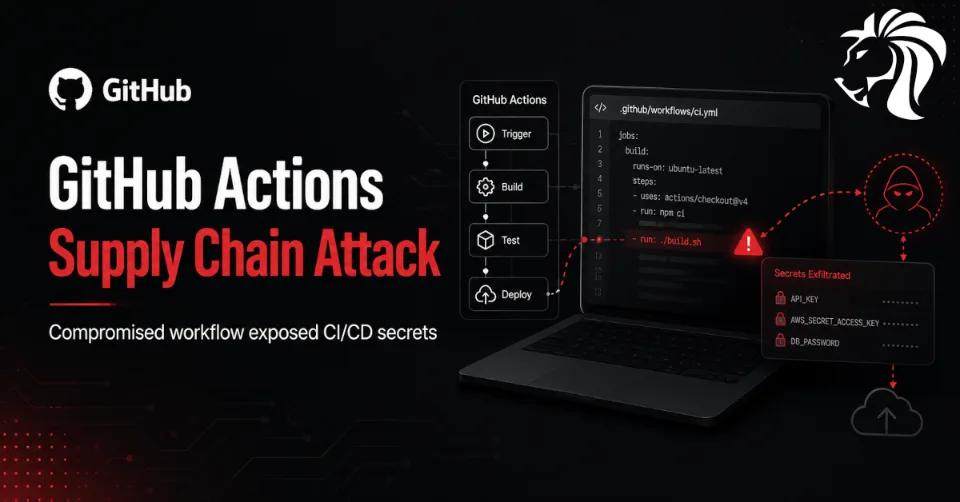
Another software supply chain attack has hit the developer ecosystem, this time targeting a popular GitHub Actions workflow: actions-cool/issues-helper.
According to research from StepSecurity, threat actors compromised the action in a way that caused existing version tags to point to a malicious imposter commit. As a result, workflows referencing the action by tag could automatically execute attacker-controlled code during their next CI/CD run.
The incident is especially serious because GitHub Actions often run inside environments that have access to sensitive tokens, repository secrets, cloud credentials, package publishing keys, and deployment permissions.
What Happened?
The compromised GitHub Action, actions-cool/issues-helper, was modified so that every existing tag in the repository pointed to an imposter commit.
This means that even workflows using what appeared to be trusted version tags could unknowingly pull malicious code.
Normally, developers rely on tags such as v1, v2, or other release labels to reference stable versions of a GitHub Action. However, tags are mutable unless protected and verified. If an attacker can move those tags to malicious commits, downstream users may execute compromised code without changing anything in their own repositories.
This is what makes the attack dangerous: the victim workflow does not need to be edited. The next pipeline run can become the execution point.
What Is an Imposter Commit?
An imposter commit is a deceptive supply chain technique where malicious code is introduced through a commit or tag that appears to belong to a trusted project, but actually exists outside the normal trusted commit history.
Instead of going through a standard pull request, review, and merge process, the attacker points a tag to a malicious commit. That commit may come from an adversary-controlled fork or another source that is not part of the legitimate repository history.
This allows attackers to bypass normal code review protections.
In practical terms, the workflow still references the same action name and version tag, but the tag now resolves to attacker-controlled code.
How the Malicious Action Worked
StepSecurity reported that the malicious commit executed code inside the GitHub Actions runner to harvest credentials from CI/CD pipelines.
The malicious logic reportedly performed several steps:
- downloaded the Bun JavaScript runtime to the runner
- read memory from the
Runner.Workerprocess - attempted to extract credentials from the running CI/CD environment
- sent stolen data to an attacker-controlled domain:
t.m-kosche[.]com
This approach is particularly concerning because it targets credentials available during pipeline execution. CI/CD systems often contain high-value secrets used for automation, deployments, publishing, infrastructure access, and service authentication.
If stolen, these credentials can be used to compromise repositories, cloud environments, package registries, or production systems.
A Second GitHub Action Was Also Affected
The compromise was not limited to actions-cool/issues-helper.
StepSecurity also found that 15 tags associated with another GitHub Action, actions-cool/maintain-one-comment, had been compromised with similar malicious functionality.
This suggests the campaign was broader than a single repository and may have targeted multiple actions maintained under the same ecosystem or ownership pattern.
GitHub later disabled access to the affected repository due to a violation of its terms of service.
Possible Link to Mini Shai-Hulud Activity
The exfiltration domain used in the GitHub Actions compromise, t.m-kosche[.]com, has also reportedly appeared in the latest wave of the Mini Shai-Hulud campaign targeting npm packages from the @antv ecosystem.
Security researchers have suggested that the overlap may indicate related activity rather than two separate incidents.
This is significant because attackers increasingly target multiple parts of the software supply chain at once. A single campaign may compromise GitHub Actions, npm packages, developer tools, and CI/CD environments to maximize credential theft and downstream reach.
The goal is not only to compromise code. It is to compromise the trust relationships that modern software delivery depends on.
Why GitHub Actions Are High-Value Targets
GitHub Actions are deeply integrated into modern development workflows. They can test code, build applications, publish packages, deploy infrastructure, manage issues, update dependencies, and automate releases.
Because of this, GitHub Actions often run with access to:
GITHUB_TOKEN- repository secrets
- package registry tokens
- npm, PyPI, RubyGems, or container registry credentials
- cloud provider keys
- deployment tokens
- SSH keys
- API keys
- signing credentials
- infrastructure-as-code permissions
A compromised action can become a direct path into the CI/CD environment.
This makes GitHub Actions an attractive supply chain target. Instead of attacking one organization directly, threat actors can compromise a trusted action and potentially reach many downstream users.
The Tag Problem: Why Version Pinning Matters
One of the most important lessons from this incident is that referencing actions by tag is not always safe.
For example:
uses: actions-cool/issues-helper@v3This looks stable, but if the v3 tag is moved to a malicious commit, the workflow will pull the new malicious code.
A safer approach is to pin actions to a known-good full commit SHA:
uses: actions-cool/issues-helper@<full-commit-sha>Commit SHA pinning prevents silent tag movement from changing the code your workflow executes.
However, SHA pinning also requires maintenance. Teams need a process to review and update pinned actions intentionally when new versions are released.
What Organizations Should Do Now
Teams using actions-cool/issues-helper, actions-cool/maintain-one-comment, or any affected related action should act quickly.
Recommended steps include:
- search all repositories for references to the affected actions
- disable or remove the affected workflows until reviewed
- check whether workflows referenced the action by tag instead of full commit SHA
- review recent workflow runs for suspicious outbound connections
- inspect logs for downloads of unexpected runtimes or tools, such as Bun
- rotate GitHub tokens and repository secrets exposed to affected workflows
- rotate cloud, registry, and deployment credentials used in those pipelines
- review GitHub organization audit logs
- check for unauthorized repository changes, releases, tags, or packages
- validate whether package publishing tokens were exposed
- restrict default
GITHUB_TOKENpermissions - enforce least privilege for CI/CD secrets
- pin GitHub Actions to full commit SHAs wherever possible
If a compromised workflow had access to production deployment credentials, the incident should be treated as a potential environment compromise, not only a repository issue.
CI/CD Security Best Practices
This incident reinforces several important CI/CD security principles.
1. Pin third-party actions to full commit SHAs
Tags and branches can change. Full commit SHAs provide stronger integrity protection.
2. Use least privilege for workflow tokens
Set explicit permissions for GITHUB_TOKEN instead of relying on broad defaults.
Example:
permissions:
  contents: read
Only grant write permissions where they are truly required.
3. Limit access to secrets
Avoid exposing sensitive secrets to workflows that do not need them. Be especially careful with pull request workflows, issue automation, and third-party actions.
4. Monitor outbound network activity
CI/CD runners should not freely communicate with arbitrary domains. Where possible, use egress controls, allowlists, or monitoring to detect unusual outbound traffic.
5. Review third-party action dependencies
Treat GitHub Actions like production dependencies. They should be reviewed, monitored, and updated through controlled processes.
6. Use security tooling for workflow scanning
Tools that detect unpinned actions, excessive token permissions, suspicious workflow behavior, and risky third-party actions can reduce exposure.
Why This Incident Matters
The compromise of actions-cool/issues-helper shows how attackers are shifting deeper into the software delivery process.
Modern supply chain attacks are no longer limited to malicious packages. Threat actors are targeting:
- package registries
- GitHub Actions
- CI/CD secrets
- release automation
- developer workstations
- open-source maintainers
- build pipelines
- signing and deployment workflows
This is because the build and deployment process often contains the keys to the kingdom.
If attackers can steal CI/CD credentials, they may not need to exploit production systems directly. They can abuse trusted automation to publish malicious code, access infrastructure, or deploy unauthorized changes.
Final Thoughts
The actions-cool/issues-helper compromise is another reminder that CI/CD pipelines are part of the attack surface.
A trusted automation workflow can become a credential theft mechanism if its upstream action is compromised. The fact that existing tags were moved to malicious commits makes this attack especially dangerous because downstream repositories may be affected without any local code change.
Organizations should review affected workflows, rotate exposed secrets, investigate recent pipeline activity, and move toward stronger GitHub Actions hardening.
The key lesson is simple: trust in the software supply chain must be verified continuously. In CI/CD, convenience should never come at the cost of unchecked execution.


