
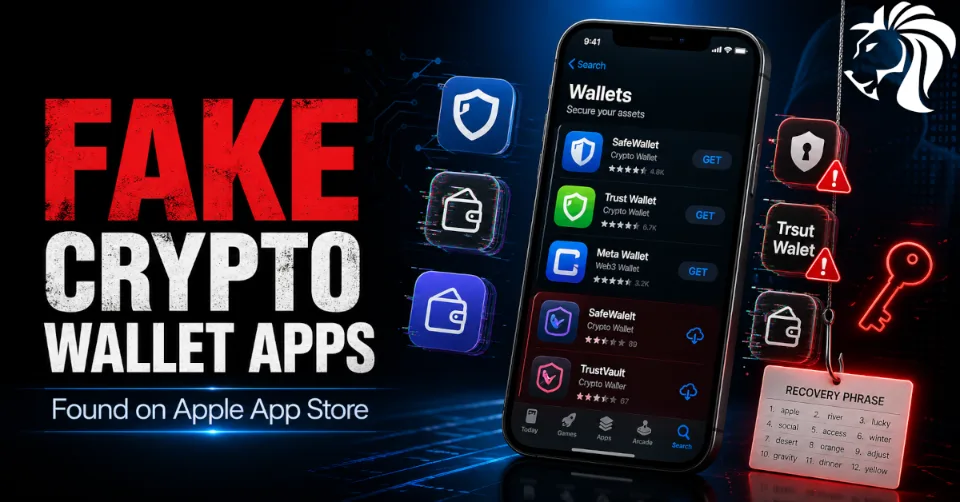
Cybercriminals are once again targeting cryptocurrency users, and this time the threat is especially alarming because some of the malicious apps were found directly on Apple’s App Store.
Security researchers at Kaspersky discovered a campaign known as FakeWallet, involving 26 fraudulent iOS applications designed to impersonate popular cryptocurrency wallets such as MetaMask, Ledger, Trust Wallet, Coinbase, TokenPocket, imToken, and Bitpie.
Their goal was simple but highly dangerous: steal wallet recovery phrases and private keys — the very credentials that give attackers full access to a victim’s crypto assets.
How the FakeWallet Campaign Works
At first glance, the apps looked convincing.
Many copied the visual identity of trusted wallet applications, including similar icons and branding. In some cases, the attackers used slight spelling variations or typos in the app name — for example, something like “LeddgerNew” instead of Ledger — to trick unsuspecting users into downloading them.
Other apps took a different approach. Instead of appearing to be crypto wallets, they disguised themselves as harmless tools such as:
- 🎮 games
- 🧮 calculators
- ✅ task planners
Once opened, these apps redirected users to browser pages designed to look similar to the App Store, where they were encouraged to download what appeared to be a legitimate wallet app. In reality, these were trojanized versions created to steal sensitive wallet data.
What the Malware Steals
The main target of the campaign is the recovery phrase, also known as the seed phrase or mnemonic phrase.
This phrase is effectively the master key to a crypto wallet. Anyone who obtains it can restore the wallet elsewhere and take full control of the funds.
According to Kaspersky, the malicious apps are specifically engineered to hijack:
- 🔑 recovery phrases
- 🔐 private keys
- 💰 access to cryptocurrency wallets
The stolen data is then sent to external attacker-controlled servers, allowing the operators to:
- drain cryptocurrency assets
- seize control of the wallet
- initiate fraudulent transactions
In some cases, the malware hooks into the wallet interface and captures the seed phrase directly when the user types it in. In other cases, it displays a phishing page asking the victim to enter their mnemonic phrase as part of a fake verification step.
Why This Threat Is So Serious
This campaign stands out because it improves on earlier crypto-theft methods in several ways.
Previously, fake wallet apps often relied on unofficial websites or abused provisioning profiles outside normal app store channels. In this case, attackers managed to place apps directly in Apple’s App Store, at least for users whose Apple account region was set to China.
That gives the attack much more credibility.
Users often assume that if an app is available in the official App Store, it must be safe. FakeWallet shows that this assumption can be dangerous.
Kaspersky also suspects the campaign may be linked to threat actors behind the earlier SparkKitty trojan activity, as some samples included OCR-based functionality capable of stealing wallet recovery phrases from images or screen content.
Apple Removed Many of the Apps
Following the disclosure, many of the malicious apps were reportedly removed by Apple.
However, the campaign highlights a critical lesson: Even official app stores are not immune to abuse.
The fact that these apps were available long enough to affect users is a reminder that app store trust should never replace user caution.
There is currently no evidence that the same apps were distributed through the Google Play Store, but that does not mean Android users are safe.
Android Users Face Similar Risks Too
Alongside FakeWallet, researchers at Cyble also uncovered a sophisticated Android malware framework known as MiningDropper (also called BeatBanker).
This malware is designed to combine multiple criminal functions, including:
- ⛏️ cryptocurrency mining
- 🧾 information theft
- 🖥️ remote access
- 🏦 banking malware delivery
MiningDropper has reportedly been spread through trojanized Android applications and fake websites impersonating:
- banks
- transport offices
- legitimate services
It uses advanced techniques such as:
- XOR-based obfuscation
- AES-encrypted payload staging
- dynamic DEX loading
- anti-emulation mechanisms
This layered design makes the malware more difficult to detect and analyze, while giving attackers flexibility to adapt the final payload depending on the campaign.
How Users Can Protect Themselves
Crypto users should take extra care when installing wallet apps — even from official stores.
Here are a few best practices:
Safety Tips
- Only download wallet apps from official vendor websites or verified store links
- Double-check the publisher name, spelling, reviews, and branding
- Never enter your seed phrase into unexpected screens or verification prompts
- Avoid installing apps through suspicious browser redirects
- Do not trust messages claiming a wallet is “not available in the App Store” for regulatory reasons
- Be cautious of apps requesting unusual permissions or setup steps
Critical Rule
A legitimate wallet app should never casually ask you to enter your recovery phrase unless you are intentionally restoring your wallet.
If an app asks for your mnemonic phrase unexpectedly, treat it as suspicious immediately.
Recommendations for Businesses and IT Teams
Organizations should also take this threat seriously, especially if employees use mobile devices for finance, crypto, or privileged access.
Recommended controls include:
- 📲 Mobile Device Management (MDM) where possible
- 🔍 monitoring for suspicious mobile app activity
- 🌐 blocking known phishing domains
- 🎓 user awareness training on seed phrase theft and mobile phishing
- 🔒 restrictions on installing unknown provisioning or enterprise profiles
Mobile devices are now part of the enterprise attack surface, and campaigns like FakeWallet prove that attackers are actively exploiting user trust in mobile ecosystems.
Final Thoughts
The FakeWallet campaign is another reminder that attackers will always go where trust and money meet.
In this case, they exploited:
- trust in well-known wallet brands
- trust in the Apple App Store
- trust in familiar-looking mobile interfaces
The most important lesson is simple:
Your recovery phrase is your wallet.
If it is stolen, your funds may be gone for good.
Whether on iPhone or Android, users should remain cautious, verify every wallet installation carefully, and never share seed phrases outside legitimate wallet recovery processes.


