
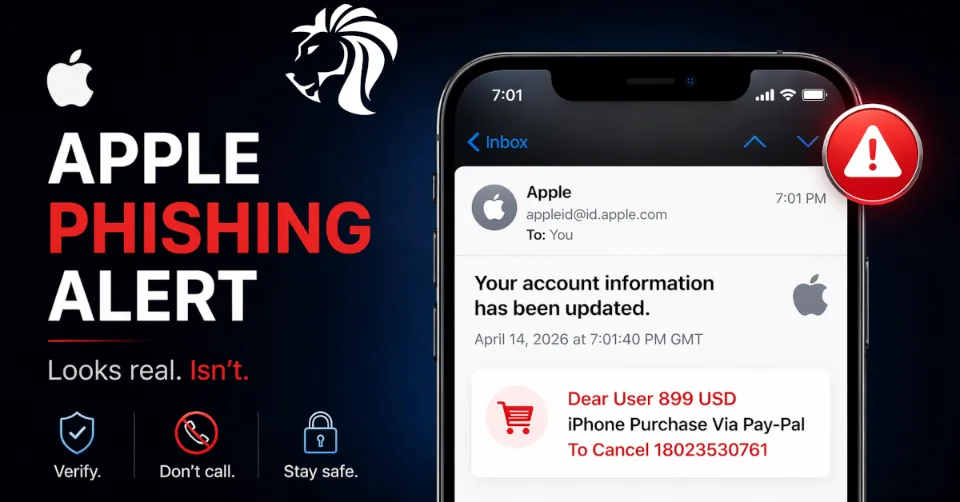
Cybersecurity researchers have uncovered a new phishing campaign that abuses legitimate Apple account notifications to deliver scams — making them far more convincing and harder to detect.
The key concern:
These phishing emails are sent directly from Apple’s real infrastructure — not spoofed.
How the scam works
Victims receive what appears to be a standard Apple security alert, informing them of account changes.
However, hidden inside the email is a phishing message like:
“$899 iPhone purchase via PayPal – call to cancel”
The goal is simple:
👉 Create panic and push users to call a fake support number
What happens if you call?
Once victims call the number, attackers typically:
- Claim the account is compromised
- Ask for sensitive information
- Instruct users to install remote access software
⚠️ This can lead to:
- Financial theft
- Data compromise
- Malware installation
Why this attack is dangerous
Unlike traditional phishing emails:
- ✅ Sent from real Apple domains
- ✅ Pass SPF, DKIM, and DMARC checks
- ✅ Delivered through Apple’s infrastructure
👉 Meaning they can bypass spam filters and user suspicion
How attackers exploit Apple systems
The attack uses a clever trick:
- Attacker creates an Apple ID
- Inserts phishing message into:
- First name
- Last name fields
- Triggers a profile change notification
- Apple sends a legitimate email including those fields
👉 Result:
The phishing message is embedded inside a real Apple email
Distribution method
Researchers observed that:
- Emails originate from Apple servers
- Then forwarded via mailing lists to targets
- Making them appear even more legitimate
A growing trend
This campaign follows similar attacks abusing:
- iCloud calendar invites
- Legitimate notification systems
👉 Attackers are increasingly using trusted platforms as delivery channels
How to stay safe
1. Don’t trust urgency
Unexpected purchase alerts are a common scam tactic
2. Never call numbers from emails
Always use official Apple support channels
3. Check for inconsistencies
- Strange formatting
- Unusual email addresses
- Unexpected account activity
4. Avoid remote access tools
No legitimate support will ask you to install them
Key takeaway
Even legitimate emails can contain malicious content.
This campaign shows that attackers no longer need to spoof emails —
they can weaponize trusted systems themselves.
👉 Always verify before reacting — especially when money or urgency is involved.


