
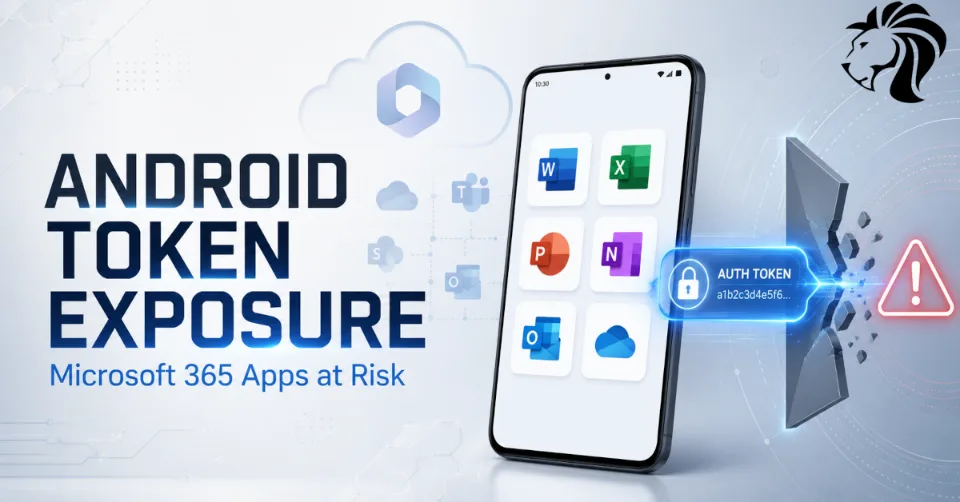
A security flaw in several Microsoft 365 Android applications exposed users to potential account compromise on a massive scale, highlighting once again how fragile authentication trust can become when tokens are not properly protected.
Researchers at Enclave discovered that a debug-related setting was mistakenly left enabled in production versions of multiple Microsoft Android apps, including Word, Excel, PowerPoint, OneNote, Loop, and Microsoft 365 Copilot.
The issue weakened a security control designed to ensure that only trusted Microsoft applications could receive authentication tokens from other Microsoft apps on the same Android device.
Microsoft has since issued updates and assigned multiple CVEs to the flaws, including CVE-2026-41100, CVE-2026-41101, CVE-2026-41102, and CVE-2026-42832.
What Went Wrong?
Microsoft 365 apps on Android support cross-app sign-in flows. This allows users to authenticate once and move between trusted Microsoft applications more smoothly.
That kind of shared login experience can be useful, but it depends on a secure trust boundary. One app must be able to verify that another app requesting an authentication token is legitimate and trusted.
According to Enclave, that validation failed because a test setting was left enabled in production releases.
The setting effectively disabled the authorization check that should have prevented untrusted apps from receiving Microsoft authentication tokens.
In simple terms, an app that should not have been trusted could potentially request a token and receive it.
Why This Was So Dangerous
The problem was not limited to one app.
The vulnerable code existed inside a shared Microsoft software development kit used across multiple Microsoft Android applications. That meant the same weakness could be replicated across several apps at once.
Affected apps reportedly included:
- Microsoft Word
- Microsoft Excel
- Microsoft PowerPoint
- Microsoft OneNote
- Microsoft Loop
- Microsoft 365 Copilot
Because these apps are widely installed, the potential exposure was significant.
A malicious Android app installed on the same device could theoretically request Microsoft tokens from an affected app, receive them without proper validation, exfiltrate them, and then use them to access Microsoft 365 resources.
What Could Attackers Access?
The impact depended on the specific tokens obtained and the permissions available to the affected user.
According to Enclave, attackers could potentially access sensitive Microsoft 365 data, including:
- email messages
- Microsoft Teams messages
- files stored in Microsoft 365
- account-linked data across Microsoft apps
- user documents
- cloud resources available through the user’s session
In some scenarios, attackers could not only read data but also perform actions such as sending emails.
That makes the issue especially serious because it could support account takeover, business email compromise, data theft, impersonation, and further social engineering.
The Role of FOCI Tokens
One of the most concerning parts of the issue involved FOCI tokens.
FOCI stands for Family of Client IDs. These tokens are designed to work across a family of trusted Microsoft applications, making cross-app authentication smoother for users.
That convenience becomes dangerous if the token leaves its intended security boundary.
FOCI tokens can be reused and refreshed over a long period. If stolen, they may allow ongoing access without obvious signs of compromise.
This creates a major detection challenge because activity using the token may look normal to backend systems. From the service’s perspective, the token appears valid and issued through a trusted flow.
That is the core risk: stolen tokens can make attackers look like legitimate users or legitimate apps.
Why Logs May Not Look Suspicious
Traditional account compromise often produces suspicious signals: unusual logins, impossible travel, failed MFA attempts, unfamiliar devices, or abnormal authentication flows.
Token theft can be harder to detect.
If an attacker obtains a valid authentication token and uses it correctly, backend services may see what appears to be normal access.
There may be no password replay. There may be no obvious MFA challenge. There may be no suspicious login prompt.
The attacker is not breaking the front door. They are using a valid key that should never have been handed to them.
This is why token security is now one of the most important parts of modern identity protection.
How Exploitation Could Work
An attacker would need to get a malicious Android app onto the victim’s phone.
That app could then contain a routine designed to request tokens from affected Microsoft applications.
Because the vulnerable apps were not properly validating whether the requesting app was trusted, the malicious app could potentially receive tokens it should never have been allowed to obtain.
The attacker could then send those tokens to their own infrastructure and use them to access Microsoft 365 services.
The attack path can be summarized as:
- Victim installs or updates a malicious Android app.
- The malicious app silently requests Microsoft authentication tokens.
- A vulnerable Microsoft app returns the token without proper trust validation.
- The malicious app exfiltrates the token.
- The attacker uses the token to access Microsoft 365 data.
This makes the issue a mobile supply chain and identity security problem at the same time.
A Small Development Mistake With Large Impact
The vulnerability appears to have been caused by a small configuration mistake: a debug or test setting that should not have remained enabled in production.
That kind of issue can seem minor during development, but in authentication systems, it can have major consequences.
The authentication code is security-critical. A single misplaced flag, disabled validation check, or insecure fallback can undermine the entire trust model.
This case is a reminder that security reviews must include build configurations, SDK defaults, debug flags, and production release checks — not only application logic.
Shared SDKs Can Amplify Risk
The issue also shows how shared SDKs can multiply security impact.
When a vulnerability exists in a common component used by multiple apps, the blast radius expands quickly.
A single bug can affect many products, many users, and many authentication flows.
Shared SDKs are useful because they reduce duplicated code and create consistency. But they must be treated as high-value components requiring strict security testing.
Organizations developing shared SDKs should apply:
- secure defaults
- release-gate checks
- automated configuration validation
- production build verification
- token-flow testing
- abuse-case testing
- independent security review
A mistake in shared authentication code can become an ecosystem-wide issue.
Why Mobile Token Security Matters
Mobile apps increasingly act as gateways into cloud services.
Users access email, files, chat, CRM systems, financial tools, developer platforms, HR systems, and AI assistants from mobile devices.
That means mobile authentication tokens can unlock highly sensitive business data.
Attackers know this.
If they can steal mobile tokens, they may be able to bypass password controls and access services as if they were the legitimate user.
This is why mobile app security must protect:
- token storage
- token exchange
- app-to-app communication
- trusted app validation
- device integrity
- runtime tampering
- malicious app interference
- session refresh logic
The device, the app, and the user must all be treated as parts of the trust decision.
Lessons for Developers
For developers, this incident reinforces several important lessons.
Authentication tokens must never be treated casually.
Recommended practices include:
- never leave debug or test settings enabled in production
- validate all app-to-app token requests
- verify the identity and integrity of requesting apps
- avoid hardcoded secrets in mobile binaries
- use secure token storage
- limit token lifetime where possible
- bind tokens to trusted app and device context
- test authentication flows under malicious app scenarios
- audit shared SDKs regularly
- include build configuration checks in release pipelines
Developers should assume that mobile devices may already contain malicious apps attempting to intercept, request, or abuse tokens.
Lessons for Organizations
Organizations using Microsoft 365 should ensure affected apps are updated across managed Android devices.
Recommended actions include:
- verify that Microsoft 365 Android apps are updated to fixed versions
- enforce mobile device management policies
- restrict installation from untrusted app sources
- monitor for unusual Microsoft 365 access from mobile sessions
- review risky sign-ins and token-based access events
- enforce conditional access policies
- require device compliance for Microsoft 365 access
- limit access from unmanaged Android devices
- use mobile threat defense where appropriate
- educate users against installing unknown APKs or unofficial apps
If suspicious mobile access is detected, organizations should revoke sessions and refresh tokens, not only reset passwords.
Why Password Resets May Not Be Enough
In token theft scenarios, changing a password may not always remove the attacker’s access immediately.
If a stolen refresh token remains valid, the attacker may be able to continue accessing services until the token is revoked or expires.
That means incident response should include:
- revoking refresh tokens
- signing the user out of all sessions
- reviewing OAuth grants
- checking mobile device compliance
- removing suspicious devices
- rotating credentials where needed
- reviewing mailbox and file access logs
Token compromise requires a token-focused response.
Final Thoughts
The Microsoft 365 Android token flaw shows how one small production configuration mistake can weaken trust across widely used enterprise applications.
By disabling a key app-validation control, affected apps could potentially hand authentication tokens to untrusted Android applications. Because those tokens could provide access to sensitive Microsoft 365 services, the risk was significant.
Authentication tokens are powerful. They must be protected like credentials, validated continuously, and kept within their intended security boundary.
In modern cloud environments, a stolen token can be as dangerous as a stolen password — and sometimes harder to detect.


