
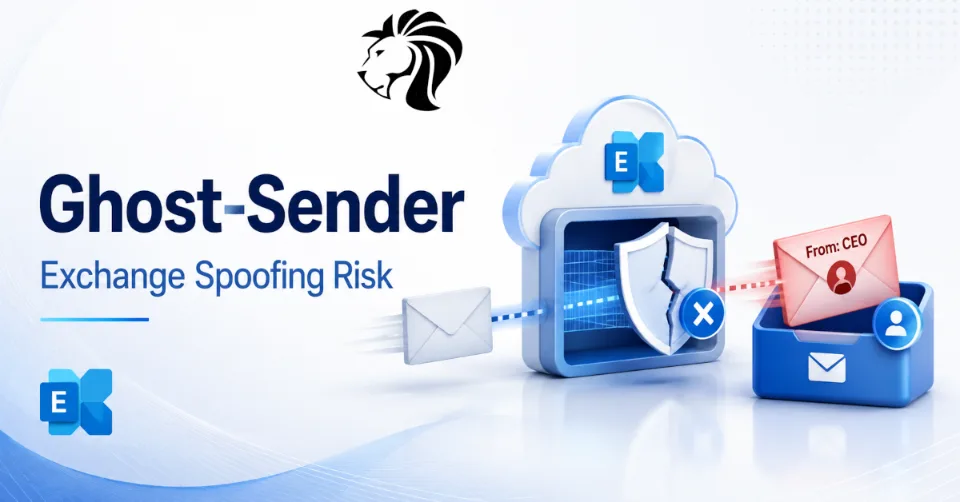
Security researchers have disclosed a Microsoft Exchange weakness that can allow attackers to send emails appearing to come from any user to vulnerable organizations.
The issue, described by Swiss cybersecurity firm InfoGuard as Ghost-Sender, affects organizations using Exchange Online or on-premises Microsoft Exchange in hybrid mode when a third-party mail server or spam filter is configured as the domain’s external MX record.
In affected setups, attackers may be able to send spoofed emails that appear to come from internal or external senders, including executives, billing addresses, trusted partners, or official Microsoft accounts.
The risk is serious because the emails can be delivered without obvious warnings, even when SPF, DKIM, and DMARC policies are configured on the spoofed sender’s domain.
What Is Ghost-Sender?
Ghost-Sender is not a traditional malware campaign or a newly patched CVE. It is a weakness in how certain Exchange configurations handle inbound email when an organization uses an external mail gateway as its MX record.
MX records tell the internet which mail server is responsible for receiving email for a domain.
Many organizations do not point their MX records directly to Microsoft 365. Instead, they use a third-party mail gateway, secure email gateway, spam filter, or relay service in front of Exchange Online.
That design is common and often legitimate.
The problem is that, in some configurations, Exchange Online may accept incoming mail too broadly when the organization uses an external MX record and has not applied additional validation controls.
According to InfoGuard, this can let attackers send emails that appear to come from anyone.
Why This Is Dangerous
Email spoofing becomes much more dangerous when the spoofed sender appears internal.
An attacker could send a message that looks like it came from:
- the CEO
- finance leadership
- HR
- payroll
- IT support
- a billing mailbox
- a trusted supplier
- Microsoft notifications
- another employee inside the organization
For internal spoofed senders, Outlook may even resolve the sender’s profile photo, making the email look more convincing to recipients.
That creates a powerful phishing and fraud scenario.
An attacker could use Ghost-Sender to send fake invoices, urgent payment requests, credential phishing messages, document-sharing lures, or instructions that appear to come from a trusted internal leader.
Why SPF, DKIM, and DMARC May Not Save You
SPF, DKIM, and DMARC are important email authentication technologies, but Ghost-Sender shows that they are not always enough.
InfoGuard claims the issue can occur regardless of the configured SPF, DKIM, and DMARC policies of the spoofed sender’s domain.
That matters because many organizations assume DMARC enforcement will stop spoofed mail.
But if Exchange accepts the message through a trusted mail flow path or misinterprets how the message entered the organization, the normal external sender validation logic may not protect the recipient as expected.
This is why mail flow architecture matters.
Email authentication controls must be combined with correct Exchange connectors, validation rules, and trusted gateway configuration.
Who May Be Affected?
Organizations may be exposed if they use:
- Exchange Online
- on-premises Exchange in hybrid mode
- a third-party spam filter or mail gateway as the external MX record
- an external-facing MX configuration without additional Exchange validation
- mail flow that forwards messages into Exchange Online without strict sender validation
InfoGuard claims this is a widespread misconfiguration and that fewer than half of organizations with an external-facing MX record appear to have a mitigation applied.
That means many organizations using common secure email gateway architectures may need to review their configuration.
How Simple Is the Attack?
According to InfoGuard, the attack can be straightforward.
If an organization uses an external MX record and no additional protections are configured, an attacker may be able to send a spoofed email using a simple command.
The attacker can choose the apparent sender address, including internal users.
This simplicity increases the risk because the technique does not require a complex exploit chain, malware installation, or user account compromise.
It abuses trust in mail flow.
Possible Abuse Scenarios
Ghost-Sender could support several types of attacks.
Business email compromise
Attackers could send payment instructions appearing to come from executives, finance users, or suppliers.
Credential phishing
Fake internal IT messages could direct users to credential-harvesting pages.
Invoice fraud
Attackers could impersonate billing mailboxes or vendors and send fake invoices.
Executive impersonation
Messages appearing to come from the CEO or CFO could pressure employees into urgent actions.
Internal trust abuse
Because Outlook may resolve internal profile pictures, spoofed messages may appear more legitimate than ordinary external phishing attempts.
Partner impersonation
Attackers could spoof trusted external partners, customers, or service providers.
This makes the weakness relevant to both internal and external spoofing risk.
Microsoft’s Position and Disclosure Timeline
InfoGuard says it reported the issue to Microsoft Security Response Center in April.
According to InfoGuard, Microsoft closed the report as a non-MSRC case, allegedly treating the issue not as a security vulnerability but as an architectural limitation or configuration problem.
InfoGuard also claimed Microsoft support suggested changing the MX record to Microsoft 365 or adding additional headers in forwarded emails, which the researchers said does not fully resolve the issue.
Dark Reading contacted Microsoft for comment, but no response was provided by press time in the source report.
The debate around Ghost-Sender highlights an important question: where does vendor responsibility end and customer configuration responsibility begin?
For defenders, the answer is practical. If the configuration allows spoofing, it needs to be fixed regardless of how it is classified.
Recommended Mitigations
InfoGuard describes two main mitigation approaches.
1. Configure a partner organization connector
Organizations can configure a partner organization connector that applies to emails sent to the organization and validates messages based on expected IP addresses or certificate-based trust.
This helps ensure Exchange accepts inbound mail only from legitimate mail gateway infrastructure.
2. Create a mail flow rule
Organizations can create a mail flow rule that quarantines messages where:
- the
X-MS-Exchange-Organization-AuthAsheader is not set toInternal - and the sending IP address is not one expected to send mail to Exchange Online, such as the IP address of the organization’s mail gateway
This helps prevent untrusted sources from injecting spoofed mail into Exchange Online.
Administrators should test carefully before enforcing rules broadly to avoid disrupting legitimate mail flow.
Disable Direct Send Where Possible
InfoGuard also recommends disabling or restricting Direct Send where appropriate.
Direct Send can allow devices and applications to send mail directly through Microsoft 365 without authentication in certain configurations. While useful for printers, scanners, and applications, it can also create spoofing risk if not controlled.
Disabling Direct Send, or tightly limiting its use, can reduce internal spoofing exposure.
Organizations should inventory which systems genuinely need Direct Send and replace it with authenticated SMTP relay or application-specific sending where possible.
Detection Challenges
InfoGuard notes that reliable detection can be difficult because Exchange tenants, licenses, mail gateways, and hybrid configurations vary widely.
However, defenders can still review incoming mail headers for inconsistencies.
Potential signs include:
- received headers that do not match expected mail gateway paths
- messages claiming to be internal but arriving from unexpected external IPs
- missing or suspicious
X-MS-Exchange-Organization-AuthAsvalues - sender addresses that match internal users but do not follow normal routing paths
- unexpected messages from executives or shared mailboxes
- spoofed internal messages without corresponding mailbox activity
- external-origin messages displayed as trusted internal communication
Header analysis is important, but it requires knowledge of normal mail flow.
An attacker would need internal knowledge of hostnames, IP addresses, and mail path details to spoof some headers convincingly, but many organizations may still be vulnerable to simpler attempts.
What Admins Should Review Now
Exchange and Microsoft 365 administrators should review their mail flow architecture.
Recommended actions include:
- identify whether the domain uses Microsoft 365 directly as MX or a third-party gateway
- review Exchange connectors for inbound mail validation
- confirm that Exchange Online only accepts mail from trusted gateway IPs or certificates
- test whether internal sender spoofing is possible
- review Direct Send exposure
- create or validate mail flow rules for suspicious inbound paths
- inspect received headers from test messages
- review enhanced filtering configuration
- confirm secure email gateway forwarding behavior
- document expected inbound mail paths
- monitor for spoofed internal sender patterns
Organizations using hybrid Exchange or third-party spam filters should prioritize this review.
Why Mail Flow Architecture Matters
Many organizations invest heavily in anti-phishing controls, DMARC enforcement, secure email gateways, and user training.
But mail flow misconfigurations can undermine those controls.
If Exchange trusts mail from the wrong path, attackers may bypass expected sender validation and deliver messages that look internal.
That is why email security must be treated as an end-to-end architecture problem.
The chain includes:
- DNS MX records
- secure email gateway configuration
- Exchange connectors
- SPF, DKIM, and DMARC
- forwarding behavior
- header preservation
- mail flow rules
- Direct Send controls
- user-facing warnings
- monitoring and logging
Weakness in one layer can weaken the entire model.
Final Thoughts
Ghost-Sender is a reminder that email authentication is only as strong as the mail flow architecture behind it.
Organizations using Exchange Online or hybrid Exchange with a third-party MX gateway may be vulnerable to spoofed emails that appear to come from internal or trusted senders.
The risk is not theoretical. Spoofed internal email can support business email compromise, invoice fraud, credential phishing, and executive impersonation.
Admins should review connectors, validate inbound mail sources, restrict Direct Send, create mail flow rules where appropriate, and test whether internal spoofing is possible in their environment.
In email security, trust should never be implicit. Every path into the mailbox needs to be verified.


