
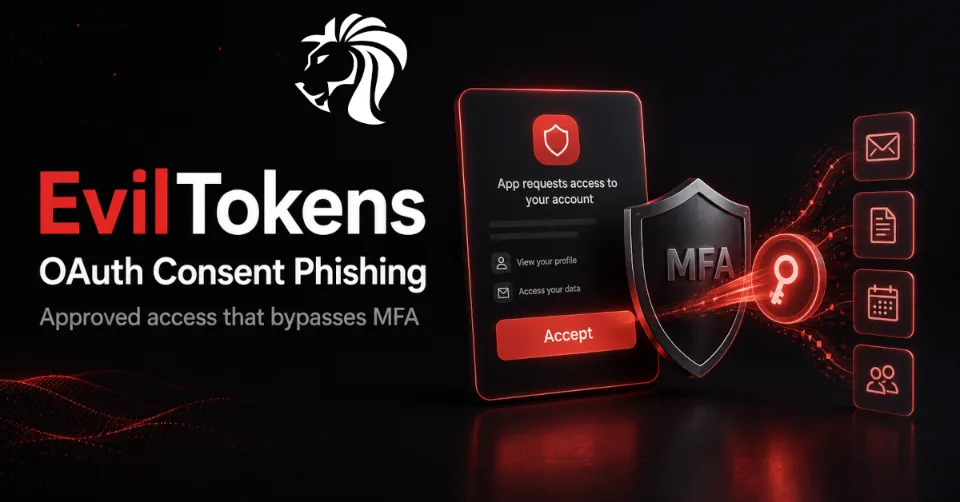
A new phishing-as-a-service platform called EvilTokens shows how attackers are shifting beyond traditional password theft and into a more dangerous layer of identity compromise: OAuth consent abuse.
Launched in February 2026, EvilTokens reportedly compromised more than 340 Microsoft 365 organizations across five countries within just five weeks. What makes this campaign especially concerning is that it did not rely on stealing passwords or traditionally bypassing MFA.
Instead, victims were tricked into completing a legitimate Microsoft authentication flow.
They were asked to enter a short code at microsoft.com/devicelogin, complete their normal MFA challenge, and approve access. From the user’s perspective, it looked like a routine verification process.
In reality, they had granted the attacker a valid OAuth refresh token with access to their mailbox, OneDrive, calendar, and contacts.
Why This Attack Is Different
Traditional phishing usually works by stealing a username and password. The attacker then tries to replay those credentials, and modern identity systems often stop the attempt with MFA, conditional access, impossible travel detection, or device compliance checks.
OAuth consent phishing works differently.
The victim authenticates directly with the legitimate identity provider. MFA is completed on the real Microsoft domain. No fake login page is required. No password needs to be stolen. No suspicious sign-in replay happens.
The attacker simply convinces the user to approve an OAuth grant.
Once approved, the attacker receives a valid token issued by the identity provider itself. That token can remain usable for weeks or months, depending on the tenant policy.
This is why OAuth grant abuse is so dangerous: the malicious access can look like the system working exactly as designed.
MFA Cannot Stop What It Already Approved
MFA is still important, but it does not solve this problem by itself.
In an OAuth consent phishing attack, MFA has already happened before the dangerous action occurs. The user signs in successfully, completes the challenge, and then approves the requested permissions.
From the identity provider’s perspective, the flow is legitimate.
The attacker is not logging in with stolen credentials. They are using a token that the user effectively authorized. That token may grant access to mail, files, calendars, contacts, or other SaaS data depending on the scopes approved.
Password resets may also be ineffective. If the OAuth grant remains valid, the attacker may continue using the refresh token even after the user changes their password.
Only explicit token revocation, consent removal, or a conditional access policy that forces re-consent can close the access path.
The Consent Screen Problem
OAuth consent screens have become normal background noise for users.
Employees are constantly asked to approve access for productivity tools, browser extensions, AI assistants, meeting summarizers, CRM integrations, reporting dashboards, workflow automations, and SaaS plugins.
Over time, users become conditioned to click Accept.
This creates a dangerous habit. The consent screen becomes the new phishing target.
A permission such as “Read your mail” may sound limited, but in practice it can expose all messages, attachments, shared threads, invoices, contracts, internal discussions, and sensitive business data the user can access.
A permission such as “Access files when you’re not present” may sound like a convenience feature, but operationally it can mean long-lived access even when the user is offline.
Attackers exploit the gap between how harmless permissions sound and how powerful they actually are.
Refresh Tokens Create Long-Term Access
The most valuable part of the attack is often the refresh token.
A short-lived session token may expire quickly, but a refresh token can allow continued access over a much longer period. Depending on the configuration, it may survive for weeks or months.
This gives attackers time to:
- read emails
- monitor calendars
- access OneDrive files
- search for sensitive attachments
- collect contacts
- identify executives and finance users
- prepare business email compromise attacks
- search for passwords or access keys
- move toward other SaaS applications
The user may never notice anything suspicious because the access does not necessarily create a noisy failed login event or trigger a traditional MFA challenge.
Toxic Combinations: The Hidden Risk Across SaaS Apps
A single OAuth grant can be risky. Multiple grants across different applications can become much more dangerous.
This is known as a toxic combination.
For example, one employee may approve:
- a meeting summarizer with access to mailbox and calendar
- a productivity assistant with access to shared drive files
- a CRM enrichment tool with access to customer records
- an AI agent with permission to interact with internal systems
Each approval may look acceptable in isolation. But together, they create a combined access path that no single application owner reviewed or approved.
The danger sits between systems.
One compromised integration could expose emails, contracts, customer data, meeting notes, and internal files through the same human identity.
Traditional application logs may not show the full picture because each app only sees its own permissions. The real risk exists in the identity graph connecting users, OAuth grants, SaaS apps, integrations, and AI agents.
AI Agents and MCP Increase the Risk
The same trust model is now expanding into AI agents and Model Context Protocol integrations.
AI agents often need access to calendars, email, files, code repositories, project tools, ticketing systems, databases, and internal documentation. To get that access, they rely on scoped grants and consent flows similar to OAuth.
This creates a new version of the same problem.
An OAuth consent click, browser extension approval, or MCP server install can instantly create a bridge between systems. That bridge may allow an agent or integration to access data across multiple platforms.
If attackers compromise one of these connections, they may inherit broad operational reach across the organization.
This is why consent governance is becoming as important as authentication governance.
Lessons From Previous OAuth Abuse
The 2025 Salesloft-Drift incident showed how OAuth tokens can create large-scale downstream exposure.
Customers had legitimately approved an integration. But when the downstream connector was compromised, the attacker could abuse those approved tokens across many Salesforce tenants.
Each individual customer had authorized the integration. None had authorized the resulting cascade of access.
EvilTokens follows the same broader lesson: the identity perimeter is no longer just the login page. It includes every approved token, OAuth grant, connector, agent, and third-party integration.
What Organizations Should Review
Security teams should begin treating OAuth consent as a critical identity control.
Key areas to review include:
| Area | What to Check |
|---|---|
| OAuth application inventory | Identify every third-party app holding refresh tokens in the tenant |
| Grant age | Review tokens older than 30 days without re-consent |
| High-risk scopes | Look for mail, files, offline access, calendar, contacts, and directory permissions |
| Cross-application access | Identify users with grants across multiple SaaS platforms |
| AI agents and integrations | Review agents bridging systems that were never approved together |
| Conditional access | Apply controls to consent events, not only sign-in events |
| Token revocation | Build a playbook to revoke a specific OAuth grant without disabling the user |
| Admin consent workflow | Require review for high-risk apps and permissions |
| User education | Train users that MFA completion does not mean the next consent screen is safe |
The goal is to move from occasional consent review to continuous visibility.
Defensive Recommendations
To reduce the risk of OAuth consent phishing, organizations should:
- disable user consent for unverified or high-risk applications
- require admin approval for sensitive scopes
- review all enterprise applications in Microsoft Entra ID
- remove unused OAuth grants
- revoke suspicious refresh tokens
- monitor consent events in audit logs
- alert on new grants with offline access
- alert on mail, file, calendar, and contacts permissions
- require re-consent for old or risky grants
- enforce publisher verification where possible
- restrict device code flow where it is not required
- review conditional access policies for OAuth-based access
- monitor abnormal API access after new consent events
- include OAuth grant abuse in phishing simulations and user training
For incident response, password reset alone is not enough. Teams must explicitly revoke tokens and remove malicious app grants.
Where Identity Graph Visibility Helps
The challenge is that OAuth grants, AI agents, browser extensions, SaaS connectors, and non-human identities form a complex access graph.
No single application owner can easily see the full picture.
Modern identity security platforms are beginning to address this by mapping:
- human identities
- service accounts
- OAuth grants
- SaaS applications
- AI agents
- integrations
- scopes
- token age
- behavior patterns
- cross-application bridges
This helps security teams detect toxic combinations and revoke access at the token level instead of taking broad actions like disabling the entire user account.
The important shift is from static audit lists to continuous runtime visibility.
Final Thoughts
EvilTokens shows that phishing has evolved.
The most dangerous click is no longer always the one that submits a password. Increasingly, it is the click that approves access.
MFA remains essential, but it cannot protect against a malicious OAuth grant that the user approves after completing legitimate authentication. Attackers are moving below the traditional identity perimeter and targeting the consent layer directly.
Organizations must respond by treating OAuth grants, refresh tokens, AI agents, and SaaS integrations as first-class identity risks.
The future of phishing defense is not only about protecting passwords. It is about controlling trust after authentication.


