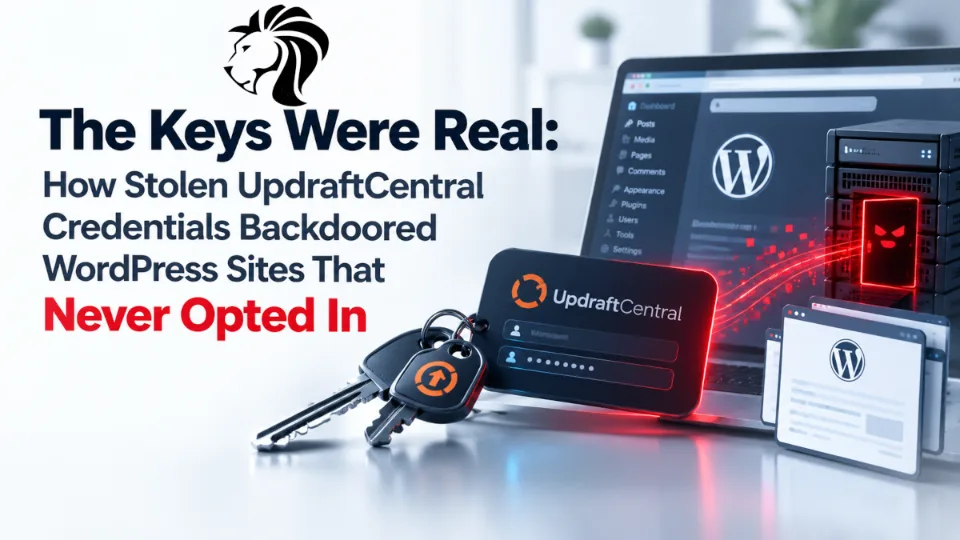
Over the weekend of 17 and 18 October 2026, an intruder reached teamupdraft.com, the website of the company behind UpdraftPlus, one of the most widely deployed WordPress backup plugins with millions of active installations.
The customer database appears to have been accessed. Among the data it held were connection keys for UpdraftCentral, the service that lets administrators manage WordPress sites remotely through UpdraftPlus.
By the afternoon of 18 October, someone was using those keys to install backdoor plugins on connected sites. The hosting firm Levamo reported more than 100 sites affected in its estate alone.
Three things make this incident worth studying rather than just patching:
There was no flaw in UpdraftPlus. The attacker held genuine keys and issued commands the plugin is designed to accept. Security tooling could not distinguish those commands from legitimate administration.
Many affected sites never knowingly enabled remote management. The option to connect a site to UpdraftCentral is ticked by default when linking the plugin to a TeamUpdraft account.
The fix does not clean the site. Updating removes the stolen keys. It does not remove a backdoor plugin that was installed before you updated.
What happened
Timeline
When | Event |
|---|---|
17 to 18 October | Unauthorised access to teamupdraft.com |
18 October, afternoon | Attacker begins installing backdoor plugins on connected WordPress sites |
18 October, about 20:00 BST | TeamUpdraft confirms the breach, signs out all accounts, begins replacing keys and credentials |
19 October, just after 22:00 BST | UpdraftPlus 1.26.12 (free) and 2.26.12 (Premium) published |
20 October, 16:25 BST | TeamUpdraft states the access route is closed |
Subsequently | 1.26.13 and 2.26.13 released, automatically disconnecting older UpdraftCentral connections |
What was exposed
The customer database is reported to have contained:
Names, email addresses and billing addresses
Order histories
Password hashes
Two-factor authentication settings
Connection keys for UpdraftCentral, UpdraftVault and UpdraftClone
TeamUpdraft says payment card details were not stored.
The connection keys are the operationally serious part. Everything else is a conventional customer-data exposure. The keys are live access to other people's websites.
What was not affected
According to TeamUpdraft:
Self-hosted UpdraftCentral dashboards
Plugin downloads, so the copies distributed through WordPress.org were not tampered with
Backups stored in customers' own third-party storage
This is a credential incident, not a poisoned-supply-chain incident. That distinction matters for scoping your response.
How the attack worked
UpdraftCentral commands are signed using trusted dashboard keys and executed with the permissions of the WordPress user who established the connection. A site holding an UpdraftCentral key will carry out any command signed with that key, including installing a plugin or creating a user.
Wordfence's assessment is that possession of the keys allowed attackers to impersonate legitimate management instructions. There was nothing anomalous to detect. The requests were correctly signed, correctly formatted and entirely expected, which is why they passed authentication even on installations already patched against an earlier UpdraftPlus vulnerability.
The payload was a backdoor plugin, reported to create privileged administrator accounts and establish persistent access.
The sites that never opted in
When a user signs in to a TeamUpdraft account from inside UpdraftPlus, a checkbox labelled Add this website to UpdraftCentral is ticked by default.
Patchstack highlighted the consequence: sites using UpdraftPlus purely for backups can be holding an active UpdraftCentral connection key without the owner ever having made a decision about remote management.
If you have ever signed in to a TeamUpdraft account from within the plugin, check for keys regardless of whether you believe you use UpdraftCentral.
The gap in the fix
TeamUpdraft stated that the update would "automatically disconnect every UpdraftCentral connection made before 22:00 BST on 18 October".
Researcher Lupták subsequently reported that 1.26.13 does not delete keys created on 18 October between 12:07 and 21:00 UTC, meaning site owners in that window need to remove them manually.
He also made a point worth repeating, because it explains why many site owners saw attacks after reading that the vendor had closed the hole: attacks on individual sites began only after the vendor confirmed the breach and cut off the intruder, because stolen keys keep working until the site itself deletes them.
What remains unanswered
TeamUpdraft has not said how the intruder got in. The Repository put three questions to the company that are worth tracking: how the attacker obtained access, why UpdraftCentral keys do not expire, and why the UpdraftCentral checkbox is ticked by default.
Why it matters
Remote-management keys are a standing, password-free login to your site. They exist to let a dashboard act with administrator authority without a human present. That is exactly what made them valuable to steal, and it is why possession alone was sufficient.
The trust is inherited, not verified. The compromise happened at a vendor. The consequences landed on thousands of unrelated websites whose owners had no visibility into that vendor's security and no ability to influence it.
Detection was effectively impossible at the site level. Standard security checks could not separate legitimate instructions from those authenticated with stolen keys. Several hosting providers, including Prostack with ModSecurity rules and Imunify360, blocked the traffic at the infrastructure layer, which was the only place the pattern was visible.
Keys that never expire turn a one-off breach into indefinite exposure. A stolen password can be rotated on a schedule. A key with no expiry stays valid until someone deletes it from each individual site, which in practice means most of them never will.
Defaults are security decisions. A ticked checkbox created remote-management connections for site owners who wanted a backup plugin. Those owners now need to audit sites they did not know were enrolled.
Who is affected
Any WordPress site running UpdraftPlus, free or Premium, that holds an active UpdraftCentral cloud key.
Sites where anyone ever signed in to a TeamUpdraft account from inside the plugin, which may hold a key nobody intentionally created.
TeamUpdraft customers generally, whose names, email and billing addresses, order history, password hashes and two-factor settings were in the exposed database.
Hosting providers and agencies managing WordPress estates at scale, where one vendor compromise translates into a large cleanup operation. Levamo alone reported over 100 affected sites.
Free UpdraftPlus users with no TeamUpdraft account and no UpdraftCentral key are, according to TeamUpdraft, not required to take action beyond keeping the plugin current.
What to do, on every site running UpdraftPlus
Revoke access first
Update to UpdraftPlus 1.26.13 or later, or 2.26.13 or later for Premium. This removes UpdraftCentral Cloud keys created before the incident.
Delete the remaining UpdraftCentral keys manually, as TeamUpdraft advises. Go to Settings > UpdraftPlus > Advanced Tools > UpdraftCentral. This also clears any key created during the gap the update does not cover, and any added since.
Check every site, not just the ones you think are connected. The keys live inside each site's own UpdraftPlus settings, so the audit has to happen site by site.
Then assume the site may already be compromised
Review all administrator accounts and remove any you do not recognise. The backdoor plugins are reported to create privileged accounts.
Review the installed plugin list for anything unfamiliar, recently added or inactive but present.
Change administrator passwords and force a logout of all sessions.
Examine logs for suspicious activity, particularly around and after 18 October.
Check files for modifications, including anything written outside a normal update window.
Point four onwards is the part people skip. Updating the plugin revokes the key but leaves an installed backdoor in place, so a site that was hit before you updated is still compromised after you update.
Broader hygiene
Rotate credentials that were in the exposed database, including any password reused from a TeamUpdraft account, and review two-factor settings.
Be alert to phishing. TeamUpdraft states it never emails asking for passwords or keys. Breach events reliably attract follow-up scams referencing the incident.
Inventory every service holding remote-management access to your sites, and establish whether those keys expire. If they do not, decide how often you will rotate them manually.
Final thoughts
There was no exploit in this attack. The attacker held real keys, sent properly signed commands, and the plugin did what it was designed to do. The only unusual thing about the requests was who sent them, and that is precisely the thing a signature check cannot establish.
The lesson: every remote-management integration is a permanent administrator-equivalent credential, stored on your site, that somebody else also holds a copy of. You inherit that vendor's security posture whether or not you ever evaluate it, and you keep inheriting it for as long as the key remains valid. Keys without expiry make that inheritance indefinite.
The second lesson is about the gap between a vendor fixing their problem and you fixing yours. TeamUpdraft closed the intrusion, replaced credentials and shipped updates that revoke old keys. None of that removes a backdoor plugin already sitting on your site. Vendor remediation and site remediation are separate jobs, and only one of them is done.
Two things worth doing today on every WordPress site you are responsible for: open Advanced Tools and look for UpdraftCentral keys you did not know existed, then read your administrator account list carefully.