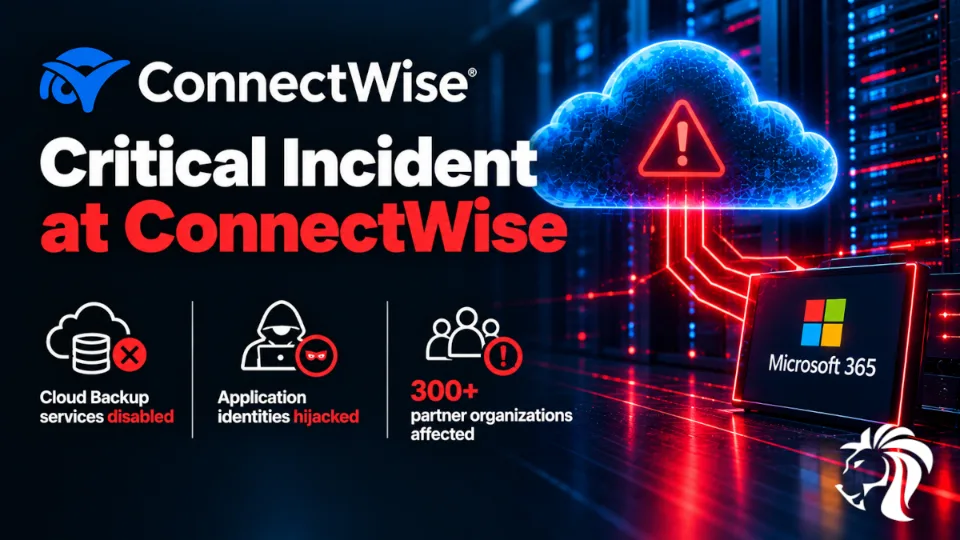
On 17 October 2026, ConnectWise shut down customer access to its Cloud Backup service (formerly SkyKick Cloud Backup) and disabled seven application identities after attackers used them to sign into customer Microsoft 365 tenants.
In its advisory, the company said it had "recently identified unauthorized access to application identities within the ConnectWise Cloud Backup environment." Cloud Backup, SaaS Security and Cloud Management all remain suspended.
This is a supply-chain attack, and Microsoft Threat Intelligence has characterised it as an active one. But the mechanism matters more than the label, because it sidesteps the two controls most organisations rely on:
No passwords were stolen. The attacker authenticated as the application, using its own secret.
MFA was irrelevant. The sign-ins were app-only, performed by an automated script. No human login means no multi-factor prompt to satisfy.
Two things in your brief need adjusting. The scope is wider than Cloud Backup. ConnectWise's Cloud Management apps for Teams, Exchange Online, Graph, SharePoint and Partner Center are also implicated, and those are where the worst behaviour was observed. And the victim count depends heavily on who is counting.
What happened
Timeline
When (UTC) | What |
|---|---|
13–14 October | Huntress links the attacker IP to scripted sign-in attempts, user agent |
15 October, 06:13–08:34 | Main malicious activity from a single IP address, |
15 October | An administrator receives a Microsoft PIM alert: a SkyKick service principal assigning itself Exchange Administrator, in a tenant where the app had been unused for years |
16 October | Reports surface publicly; Huntress confirms at least 162 compromised tenants in its own estate |
17 October, 05:01 | ConnectWise announces the Cloud Backup service interruption |
17 October, 07:00 | ConnectWise disables seven application identities, revokes certificates, invalidates shared Cloud Backup credentials |
18 October, 01:00 | ConnectWise confirms scheduled backups are not running and restores are unavailable |
How many victims?
This is where the reporting diverges, and it is worth being precise:
Huntress identified at least 162, later 173, compromised tenants within its own monitored environment.
Separately, Huntress reported sign-in attempts from the attacker's address against nearly 1,000 Microsoft 365 tenants, of which more than 300 succeeded.
Those are different measurements, not contradictory ones. One is what a single security vendor can see across its own customers; the other is the ratio of attempts to successes. The true total across all ConnectWise partners is unknown. BleepingComputer noted that the victim count and the extent of data theft remain unclear.
What the attacker could reach
Because the application already held broad permissions that customers had granted long ago, the sign-ins gave the attacker the technical ability to read and write mail and attachments, OneDrive and SharePoint files, and Teams chats, according to Todyl's analysis.
Microsoft assessed that the attacker likely abused existing permissions including Directory.ReadWrite.All, which is about as powerful as a delegated permission gets.
Reconnaissance and persistence
Here the accounts differ in an instructive way.
Todyl analysed nine tenants and found only sign-in activity: no accounts created, no permissions added, no passwords changed, and no persistence established through the backup app.
Huntress saw something worse across roughly 50 tenants: service principals for ConnectWise's Cloud Management apps (Exchange Online, Teams, Microsoft Graph) assigning themselves directory roles, most often Exchange Administrator.
In one tenant, Huntress observed full persistence established in about five minutes: the Cloud Management – MS Teams application granted itself Global Administrator, then added credentials to an MSP management tool and to Huntress's own application.
Microsoft independently observed persistence via a backdoor following successful service principal authentication, then Microsoft Graph API reconnaissance and attempts to add further credentials.
The lesson from the discrepancy: a clean sample is not an all-clear. Behaviour varied by tenant. Nine tenants showing nothing does not mean your tenant shows nothing.
What is still unknown
How the attacker obtained the vendor credentials. ConnectWise says the exact credential-exposure mechanism is under analysis, and it is unclear whether a product vulnerability contributed.
The full victim count and whether data was actually exfiltrated from individual tenants.
Who did it, and why.
ConnectWise says existing backup archives remain encrypted and isolated with no indication of compromise, and stressed that suspending the services should not be read as evidence that any particular partner environment was breached.
How this attack works
Service principals, in plain terms
When an organisation connects a third-party tool to Microsoft 365, the tool gets an identity inside that tenant, called a service principal. It is a non-human account that holds the permissions the customer approved at setup, and it can read and write data without anyone signing in.
That design is entirely normal and entirely necessary. A backup tool has to run at 3am without a human present.
Why one stolen secret unlocked hundreds of tenants
The critical detail is that the credential was shared. The same secret worked in every organisation that had granted the app access. Whoever held it could sign in as the backup service to any of those tenants and inherit exactly the access each customer had already approved.
This is the defining property of supply-chain attacks against SaaS integrations: the attacker does not need to compromise you at all. They compromise something you trusted, once, years ago, in a consent dialog.
Why your security controls did not fire
MFA: not applicable. App-only authentication involves no user, so there is no second factor to request.
Password policy: irrelevant. No password was used.
Conditional Access: in most tenants, policies target users, not workload identities. Restricting where an application may sign in from requires Conditional Access for workload identities, which needs additional licensing.
Impossible travel and risky sign-in detection: tuned for humans. Microsoft Entra ID Protection can flag risky service principals, but many organisations have not enabled or reviewed it.
Why switching it off is not enough
This is the part most coverage underplays, and it is the single most important operational point:
Credentials already planted in your tenant survive. If the attacker added a secret or certificate to an application registration in your environment, that credential is yours now, and disabling ConnectWise's apps does nothing to it.
Existing tokens remain valid. Todyl warns that disabling an application stops new tokens being issued, but previously issued tokens work until they expire.
Revoking user sessions does not end application-based access. The standard incident reflex of resetting passwords and revoking sessions does not touch this.
ConnectWise said as much itself: unauthorised credentials, permissions or other access established through separate identities require additional review and remediation.
Why it matters
MSPs multiply everything. ConnectWise sells primarily to managed service providers, who run many client tenants. One compromised vendor credential propagates through an MSP into every customer it serves. The 300-plus successful sign-ins represent organisations, many of which have no direct relationship with ConnectWise and may not know the product exists.
Dormant integrations are live risk. The most chilling single detail is the administrator who got a PIM alert about a SkyKick service principal elevating itself, in a tenant where the app had not been used in years. The consent was still valid. The permissions were still granted. Nobody had revisited it. Most organisations have a list of enterprise applications nobody has reviewed since installation.
Non-human identities are the blind spot. Enterprises have spent a decade hardening human sign-in: MFA, Conditional Access, passwordless. Service principals have broadly escaped that attention, despite often holding wider permissions than any individual employee.
Permission sprawl at install time becomes blast radius later. Nobody reads the consent screen. Directory.ReadWrite.All granted in 2021 to get a backup working is what an attacker inherited in 2026.
The supply chain is now the delivery mechanism of choice. No phishing, no malware, no vulnerability needed on your side.
Who is affected
Managed service providers using ConnectWise Cloud Backup, Cloud Management or SaaS Security, and through them their clients.
Any Microsoft 365 tenant that ever consented to one of the seven implicated applications, including tenants where the integration is dormant. Older tenants may list these apps under "SkyKick Cloud Manager."
Organisations that rely on ConnectWise for backups, which have had no scheduled backups and no restore capability since 17 October. If you suffer a separate incident right now, your recovery option is unavailable.
Small and mid-sized businesses, the typical end customers of MSP-delivered backup, who will likely learn about this from their provider rather than directly.
What organisations should do
Check whether you are exposed
Review Enterprise Applications in Microsoft Entra ID for these seven application IDs:
Application | ID |
|---|---|
ConnectWise Cloud Backup |
|
Cloud Management |
|
Cloud Management – MS Teams |
|
Cloud Management – Exchange Online |
|
Cloud Management – MS Graph |
|
Cloud Management – Partner Center |
|
Cloud Management – SharePoint Online |
|
Filter service principal sign-in logs by those application IDs and look for unexpected source addresses, in particular
144.172.64[.]128, plus the user agentscurl/7.88.1,python-urllib/3.12,python-requests/2.31andpython-requests/2.34.2.Check every managed customer tenant, not just your own, including environments with dormant SkyKick connections.
Remediate properly
Audit application credentials and certificates across all applications for unauthorised additions since 13 October, and remove anything you did not add. This is the step that actually removes the attacker.
Review directory role assignments, particularly Exchange Administrator and Global Administrator granted to service principals. A backup app does not need Global Admin.
Review OAuth grants and recent Microsoft Graph activity for reconnaissance patterns.
Investigate any other identity changed or used during the suspicious window, and treat a compromised service principal as a tenant-wide incident rather than an application problem.
Remember that revoking user sessions does not stop app access. Tokens already issued remain valid until expiry.
Ask your provider
If an MSP runs your Microsoft 365, ask in writing whether they use ConnectWise Cloud Backup or any of the seven identities, what they found, and what they did about it. Request confirmation, not reassurance.
Fix the structural problem
Inventory every third-party application with access to your tenant, and record what permissions each holds and when it was last used. Revoke anything dormant. The forgotten integration is the one that will hurt you.
Apply least privilege to applications at consent time. Challenge any request for
Directory.ReadWrite.Allor similar, and prefer narrowly scoped permissions even where it is less convenient.Enable Conditional Access for workload identities where licensing permits, restricting the locations an application may sign in from, and turn on Entra ID Protection to flag risky service principals.
Monitor service principal sign-ins and role assignments as a standing control. The PIM alert in this incident worked: someone was told that an app had elevated itself. That alert should exist everywhere.
Have a backup plan for your backup provider. Several hundred organisations have currently had no backups running for days.
Final thoughts / key lesson
The uncomfortable thing about this incident is how little the victims could have done at the moment of attack. There was no phishing email to spot, no malicious attachment to block, no vulnerability to patch. An application that organisations had deliberately approved logged in and did exactly what they had permitted it to do, but for somebody else.
The lesson: your Microsoft 365 tenant's real attack surface is the list of applications you have consented to, and almost nobody maintains that list. Every third-party integration is a standing, password-less, MFA-exempt login to your data, held by a company whose security you cannot audit. One of them was compromised; the others are still there.
The second lesson is about incident response reflexes. The instinct in a credential incident is to reset passwords and revoke sessions. Against a compromised service principal, both of those actions are theatre. What matters is auditing application secrets and certificates for additions you did not make. If the attacker planted one in your tenant, the vendor shutting down their service has not inconvenienced them at all.
Two questions for this week: how many applications currently hold write access to your mail and files, and when did anyone last look at that list?